

Paste a Figma selection
- Open the Figma file you want to import from.
- Select the frames or layers you want to bring into Wonder.
- Copy the selection (⌘ C, or right-click and choose Copy).
- Open your Wonder file and paste (⌘ V, or right-click and choose Paste).
Connect Figma to import images
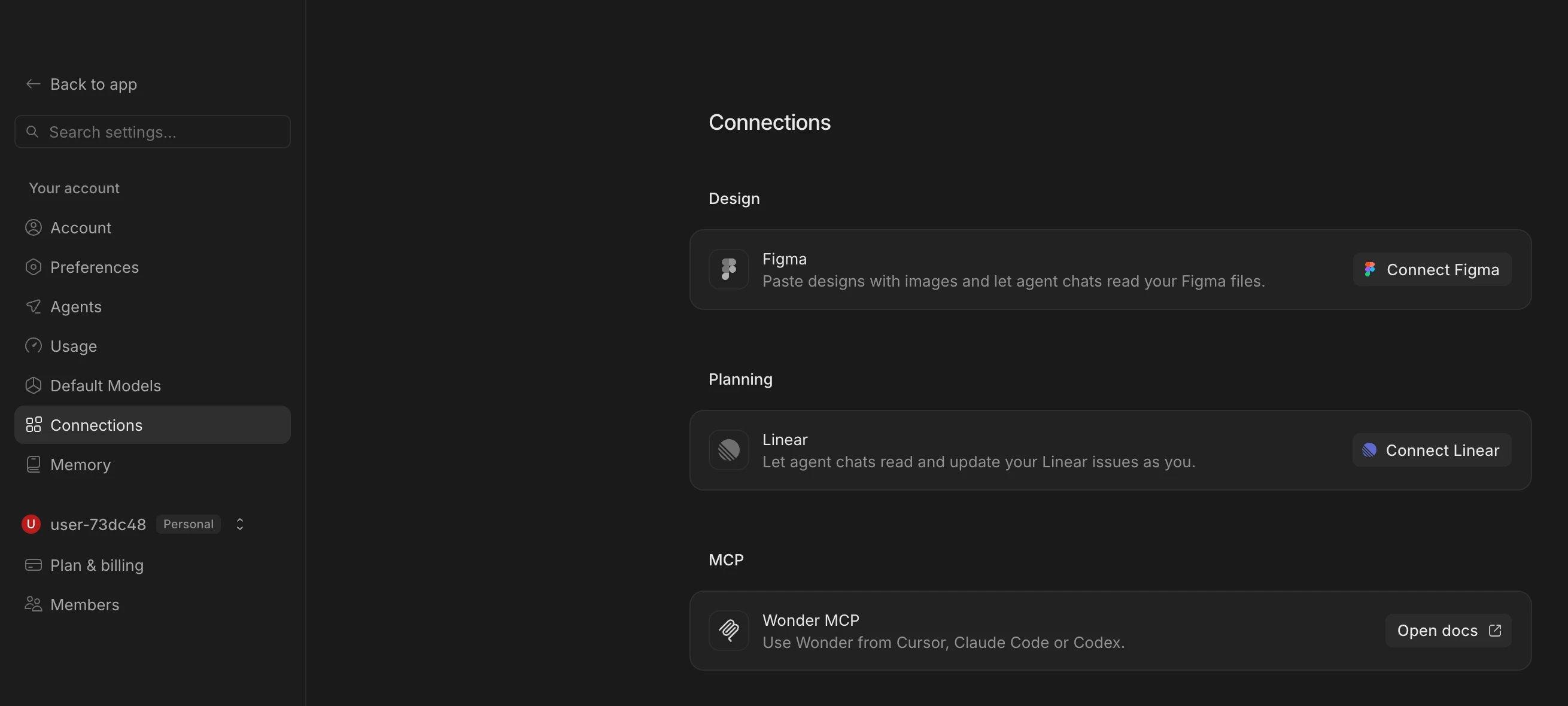
Layers and layout come across without a connection. To bring the selection’s images along, connect your Figma account once:- Open Settings > Connections.
- Next to Figma, click Connect Figma and sign in to Figma.
Variables
When a Figma layer uses a color variable, Wonder binds the pasted layer to a variable in your file:- If your file already has a color variable with exactly the same color, Wonder uses it.
- Otherwise, Wonder creates a new color variable named after the Figma variable.
What changes on import
The Wonder canvas is built on real code and CSS (see Design is code), so some Figma features are translated to the closest CSS equivalent. Here’s what to expect.Components
Figma components and instances are detached when you paste them. Each instance comes across as plain layers, with its overrides and property values applied.Shapes and vectors
Vectors, ellipses, lines, polygons, stars and boolean groups become SVG layers.Layout
Auto layout becomes flex layout. Figma grid layouts become CSS grid, with their columns, rows, gaps and each child’s position and span.Borders
Each layer keeps one border:- Several stacked strokes: only the first visible one is kept.
- Gradient strokes: become a solid border in the gradient’s first color.
- Dashed strokes: become a dashed border, or dotted for very short dashes.
- Outside strokes: become an outline.
Effects
Drop shadows, inner shadows, layer blurs and background blurs come across. Glass, noise and texture effects don’t.Gradients
Linear and radial gradients come across. Angular gradients become conic gradients, and diamond gradients become radial gradients.Text
Each text layer keeps one style. Text with mixed styles in one text box, such as a bold word in a sentence, comes across in the layer’s main style; restyle the parts in Wonder afterwards. Wonder keeps each text layer’s font family by name.If something goes wrong
- Connect your Figma account to import images. You pasted a selection with images without a Figma connection. Click Your account → Connections in the message, connect Figma and paste again.
- Reconnect Figma in settings to import images. Your Figma sign-in expired. Open Settings > Connections and click Reconnect on the Figma row.
- Some images were not included in this Figma clipboard. Copy the design again from its original Figma file, not from a copy or another file.
- Some Figma images could not be imported. The images may be unavailable, or the selection may have more than 256. Paste smaller parts of the design.
- Figma is limiting requests. Wait a moment and paste again.