Chat history, command palette, and a faster canvas

Boris Janković
2 min read
On this page
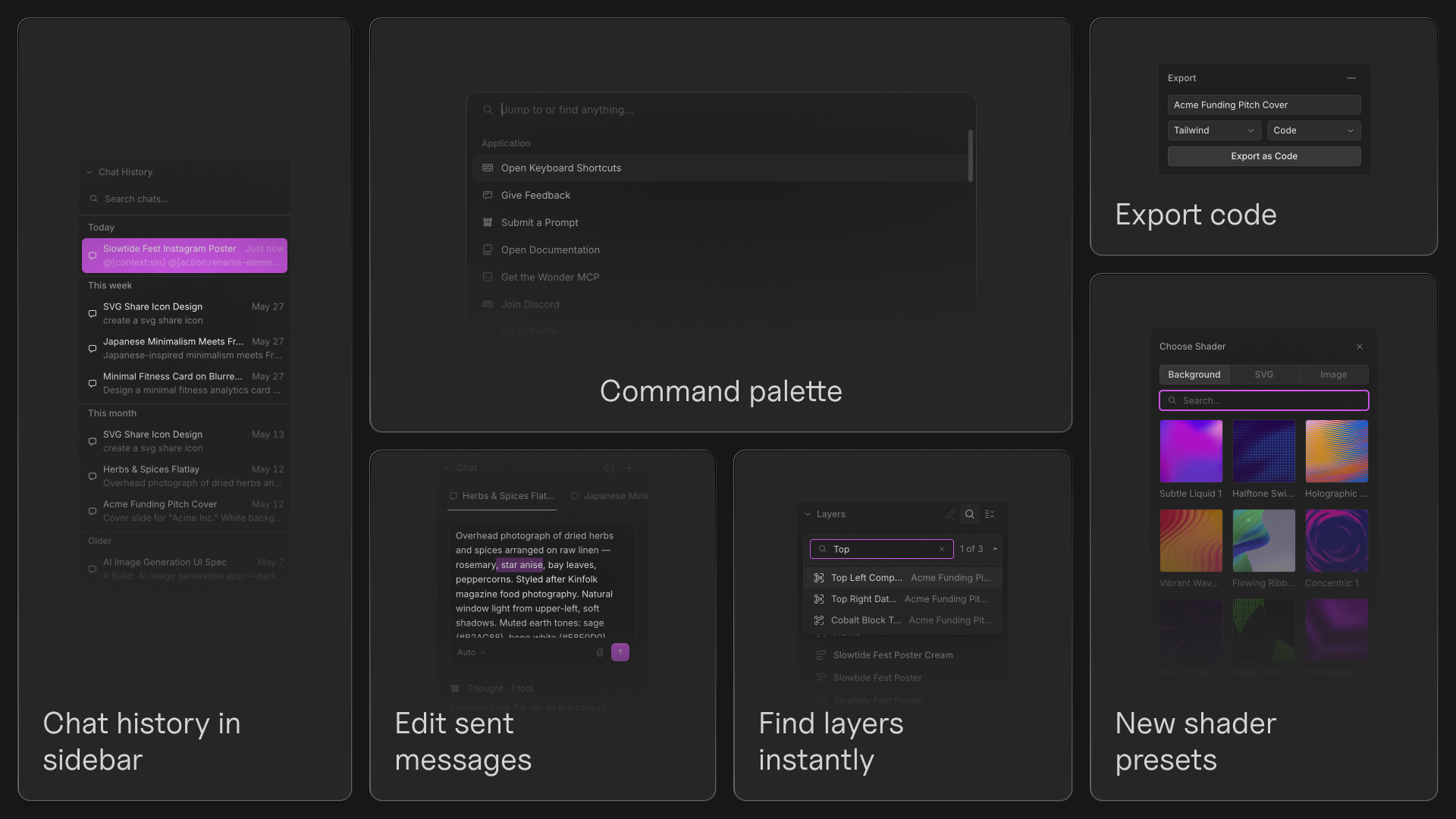
This update brings a faster navigation experience, a more powerful chat workflow, improved editing controls, and a large collection of polish across the canvas.
Features
- Chat history. Every conversation now lives in a dedicated sidebar, making it easy to revisit previous chats and continue where you left off.
- Command palette. Press
⌘Kto search actions, navigate the app, and access tools from anywhere. - Find layers instantly. Search layers by name from the sidebar or canvas and jump directly to matching elements.
- Edit sent messages. Update a prompt after sending it and continue the conversation from that point.
- Export to code. Export sections directly as Tailwind or CSS.
- Edit SVG Colors. SVG colors are now editable, including icons that use
currentColor. - New shader presets. Dedicated Background, Logo, and Image tabs now support image and SVG uploads.
Editor improvements
- Math in value inputs. Numeric fields now support calculations and mixed-unit expressions using CSS-style math.
- Better resizing controls. Hold
⌥to resize from the center and⇧to maintain proportions. - New editing shortcuts. Added inline text formatting shortcuts and faster Auto Layout creation with
Shift+A. - Copy as PNG. Copy selections directly as PNGs from the canvas.
- Custom file thumbnails. Set any element as the thumbnail for your file.
- Improved layer management. Layer ordering now more closely matches Figma and searching layers is significantly faster.
- Named color support. Color inputs now accept values like
white,black, andred. - Better canvas visuals. Page background opacity now uses a checkerboard preview and several controls have been refined throughout the editor.
Design improvements
- A more consistent canvas experience. Menus, dropdowns, sliders, icons, hover states, and editing interactions have been polished across the app.
- Redesigned file cards. File management is cleaner and easier to scan.
- Unified inline editing. Pages, layers, and files now share the same renaming experience.
- Faster onboarding. Improved loading performance, mobile onboarding, and error states throughout the app.
Bug fixes
- Fixed chat threads occasionally getting stuck while loading.
- Fixed sidebars becoming stuck in a collapsed state.
- Fixed nodes disappearing while zooming and selection bounds becoming incorrect.
- Fixed SVG upload and logo rendering issues.
- Fixed shaders occasionally stopping after opening settings.
- Fixed dragging, scrubbing, and selection issues throughout the editor.
- Fixed several crashes and stability issues across the canvas and properties panel.